
Shopify product recommendations, ready when you install
When you install Dropr, it reads your catalog and your theme's fonts, colors and buttons, and has product recommendations ready from your own products. You turn them on with one switch in Shopify's theme editor and click Save. They show on product pages and in the cart, and you can add home, collections, checkout and the pages after payment.
Opens the Shopify App Store. Free plan, no credit card.
- No theme code touched
- Uninstall anytime
- No cut of your sales
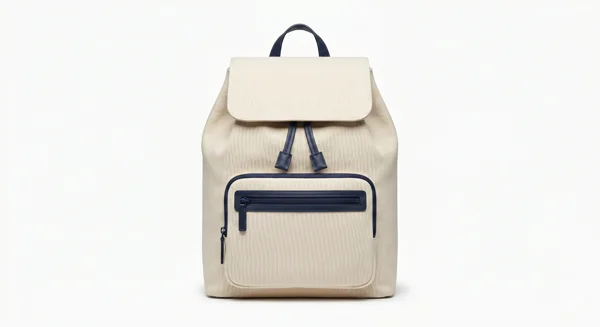
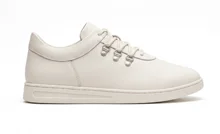
Four kinds of recommendations
You might also like
Products that go well with the one they're looking at, under the product.
Bought together
This product plus what people buy with it, added to the cart in one tap.
Popular right now
Your best sellers from real orders, for the home page and collections.
Recently viewed
What each shopper looked at, saved in their browser only.
On every step of the purchase
You add each place with one short action on the Dropr home page. Checkout needs Shopify Plus, and the order status page needs Shopify's new customer accounts. The rest work on every Shopify plan.


See what each placement sells
Views, adds to cart and sales for every placement, side by side, so you keep the ones that sell. Sales count paid orders that include an item a shopper added through Dropr.
According to a 2017 Salesforce study, the 7% of visits that clicked a recommendation brought in 26% of ecommerce revenue.
Salesforce, 2017, 150M+ shoppers and 250M visits. An independent study, cited for context; not affiliated with Dropr.
Set it up in about 5 minutes
- Install Dropr free from the Shopify App Store. No credit card.
- Dropr reads your store. It picks products from your catalog and takes your theme's fonts, colors and buttons.
- Click Turn on Dropr. Shopify's theme editor opens with Dropr on under App embeds. Click Save, and recommendations are on your product pages and in your cart drawer.
- Add more places when you want. The Dropr home page has one short action each for home, collections, the cart page, checkout (Shopify Plus), thank you and order status.
Questions
Does this replace my theme's related products?
You can keep both. If you'd rather show one row, remove your theme's related products section in the theme editor and keep Dropr's.
Can I choose the products myself?
Yes. Open Products in Dropr and add the ones you want for any product. Those show as Added by you, and the rest as Picked by Dropr.
Will it work with my theme?
Dropr puts its row right after your theme's product section and uses your theme's fonts, colors and buttons. If it can't find that section, it shows nothing rather than something out of place. The blocks you add yourself, like Bought together, need an Online Store 2.0 theme such as Dawn. You see all of it in Shopify's theme editor before you click Save.
Does it slow down my store?
Each Dropr script is under 10 KB and loads after your page, so it doesn't hold up your product page.
Can I remove it cleanly?
Yes. Dropr never edits your theme files, so turning it off or uninstalling leaves your store as it was.
What does it cost?
Free up to 1,000 recommendation views a month. Starter is $19/month for unlimited views, with 14 days free. Pricing details
Something else? Email support@heydropr.com and I'll answer within one business day.
Other guides
See your own products recommended.
Opens the Shopify App Store. Free plan, no credit card.